The sign in page for Adobe products should appear as below:
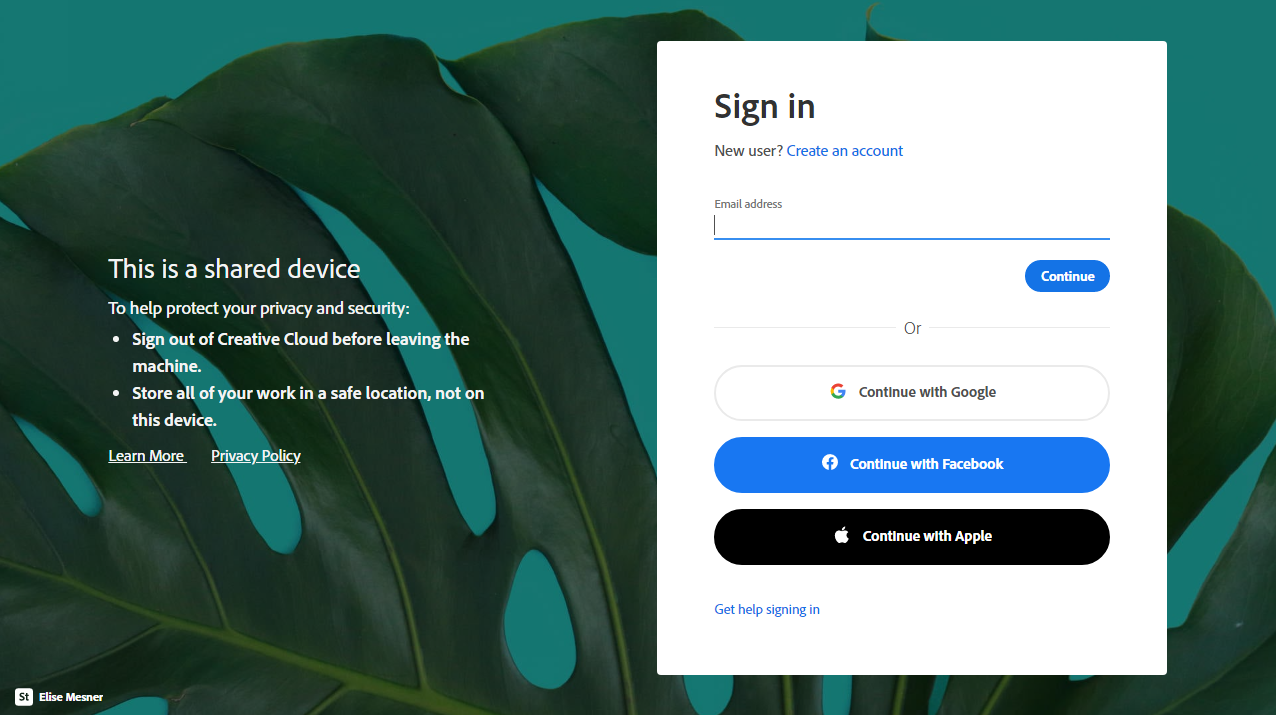
You need to enter your SCHOOL USERNAME followed by @bunburyshs.wa.edu.au For the purposes of this page, your username is what you use to log in to IKON / Connect (ie, e1234567 or test.student2)
An example login might be
- e1234567@bunburyshs.wa.edu.au
- test.student2@bunburyshs.wa.edu.au
Note: this is not a real email address, it is just used to identify you as belonging to Bunbury SHS
Click Continue
This will redirect you to the Bunbury SHS Single Sign On page (pictured below)
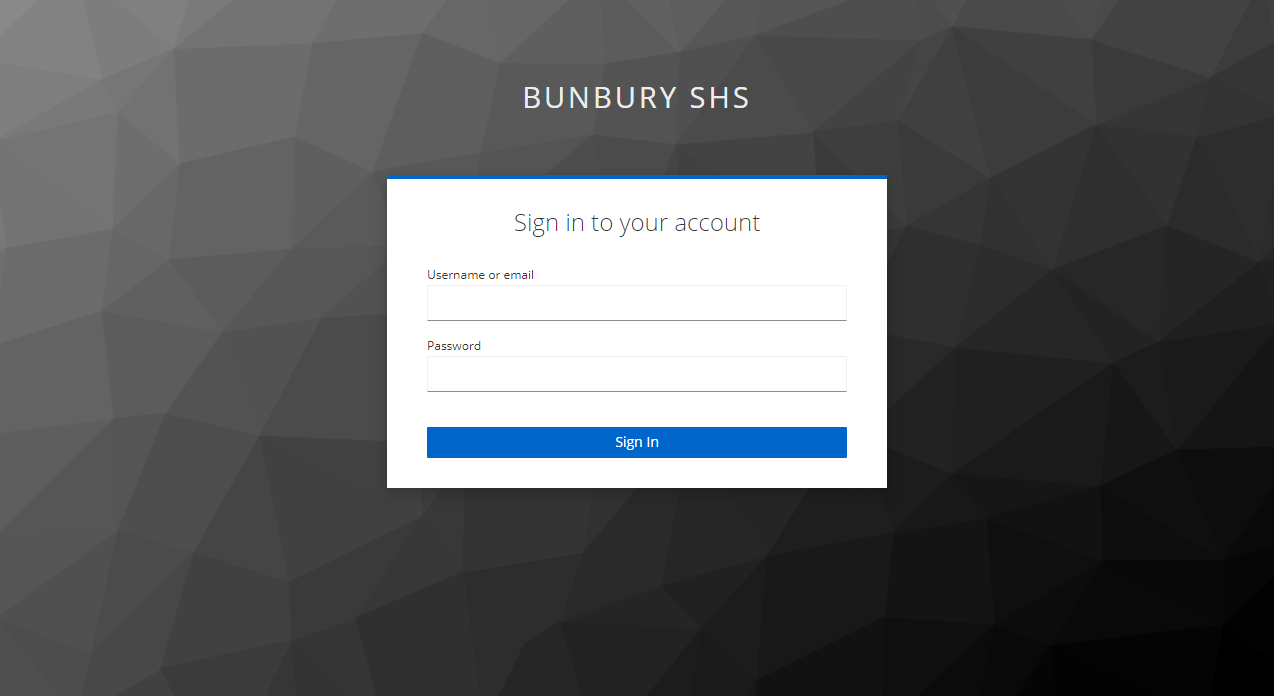
Sign in with your SCHOOL NETWORK ACCOUNT (Ikon/connect username and password). This is either your username or email, followed by your password.
An example login might be
- e1234567
- test.student2
This should allow you access to Adobe products.
For resolving issues with this process, please follow the instructions in this article