Google Chrome or Micosoft Edge
- Open Chrome app or Micosoft Edge app.


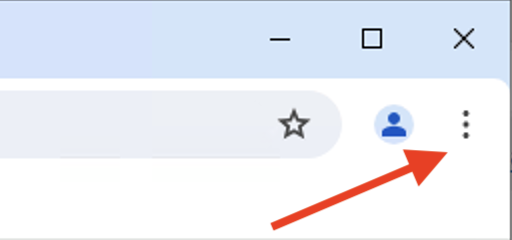
- Click on the three dots at the right hand side of the window.
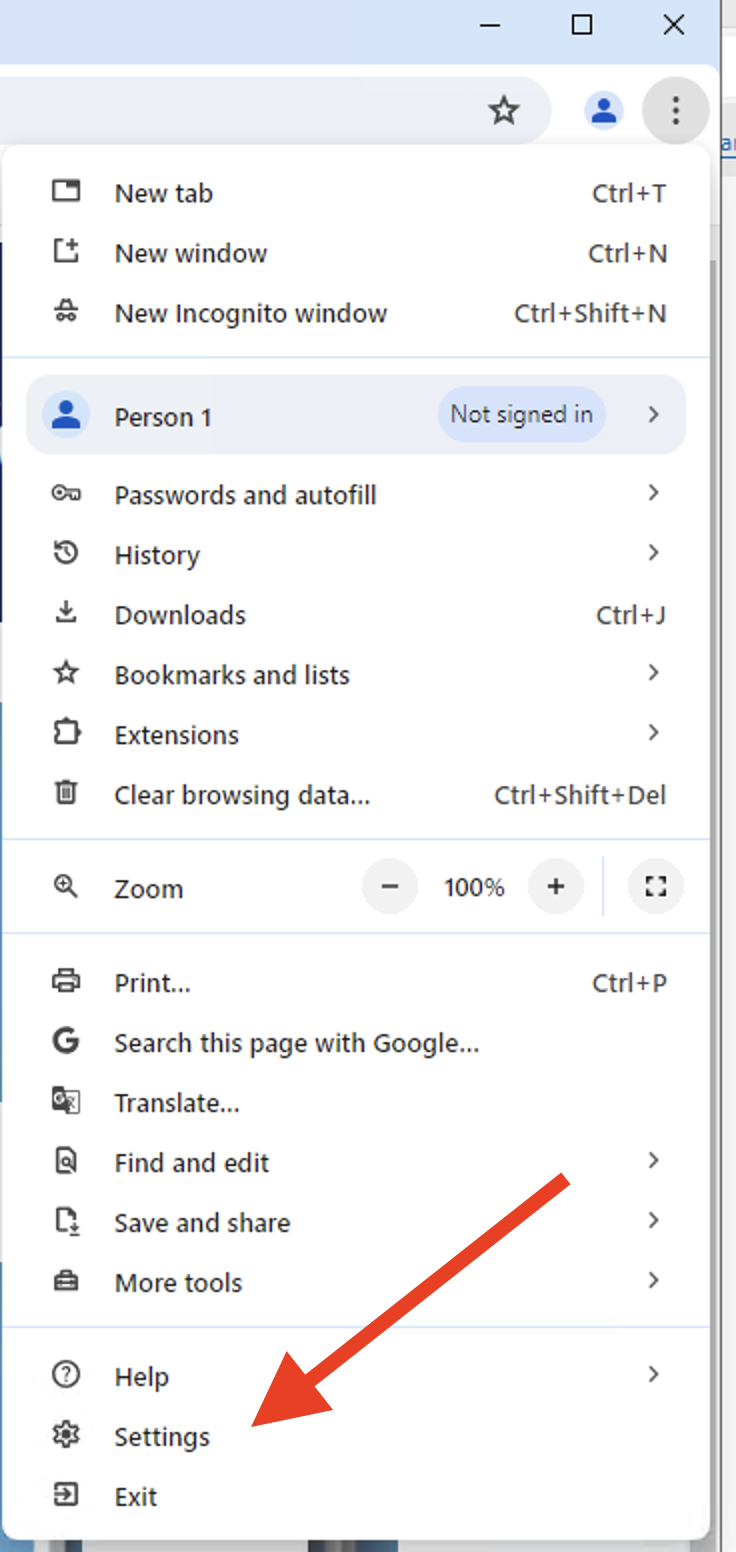
- Click on Settings.
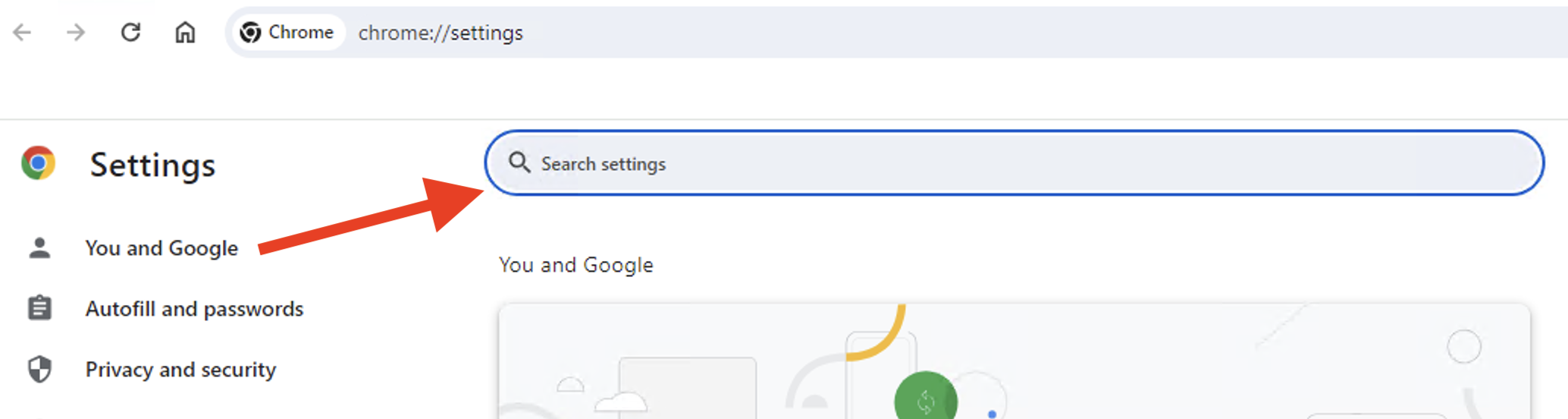
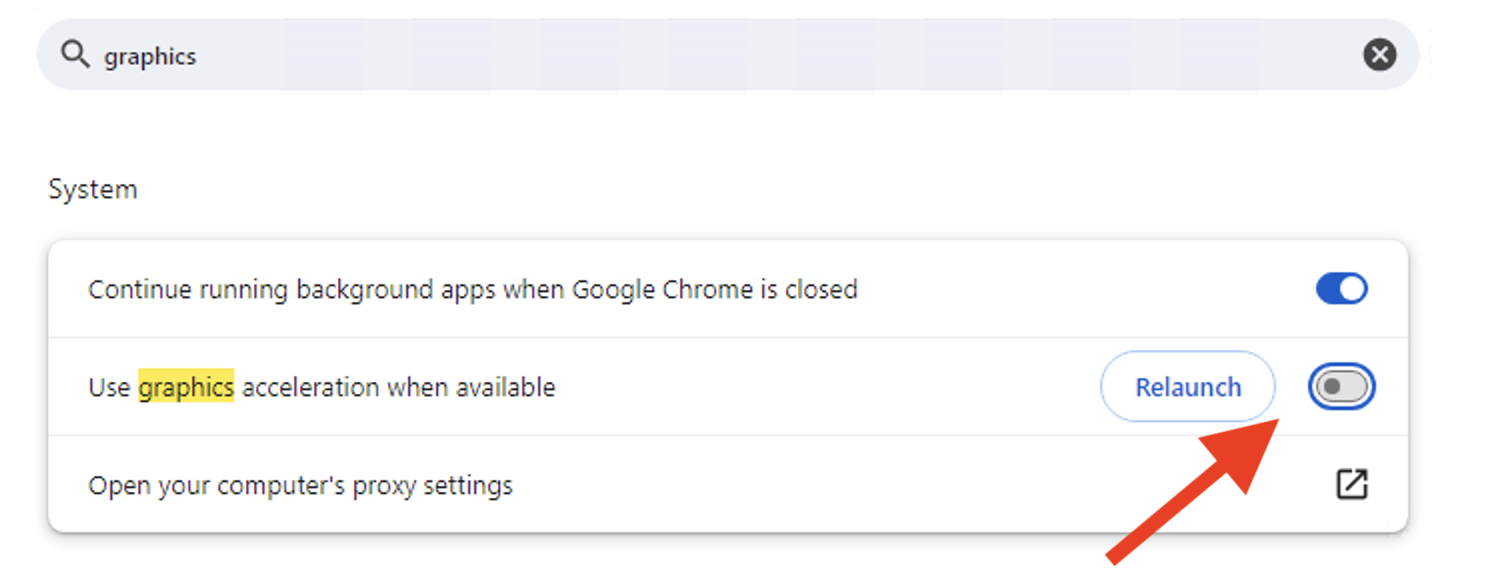
- Search for grachics in the Search bar.
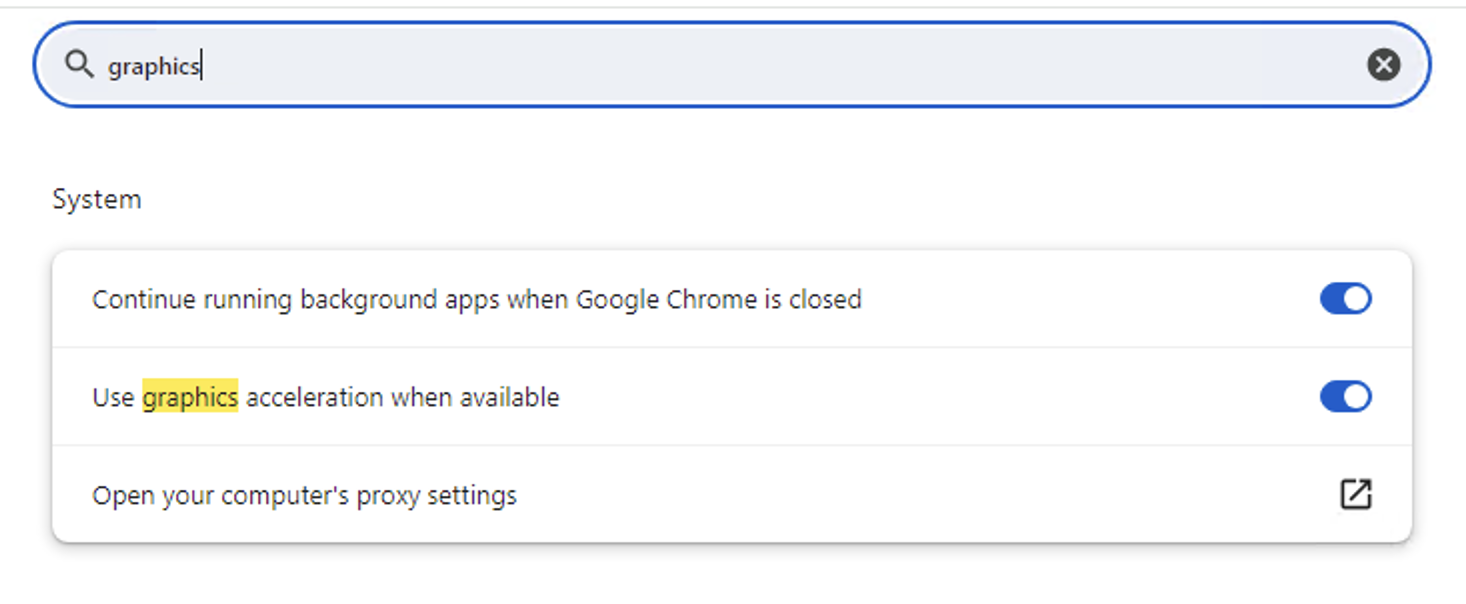
- Disable Use graphics acceleration when available and Click Relaunch
NOTE: This does not work with FireFox.